The making of gaseA Sega Mega Drive / Genesis emulator in RustOctober 2026
A Mega Drive you can read.
How an emulator was built to be understood: one crate per chip, every CPU checked against millions of recorded test cases, and a rule that every fast path keeps the readable version beside it.
- Crates: one per chip, then app, ZIP and shells 12
- External dependencies of the core 0
- Platforms: desktop, browser, Android, iOS 4
- Z80 test cases passed 1,604,000
- 68000 test cases run 1,310,060
- Pull requests to get here 33
- Speed-up from profiling 1.5–1.9×
unsafeblocks, all in the phone entry point 2
Is it viable?
Before any code, a short study asked whether a Mega Drive emulator in Rust was a sensible project, and what it should put first.
The answer was yes, for reasons that shaped everything that followed. The Mega Drive is one of the best-documented machines of its era: mature open emulators such as Genesis Plus GX, BlastEm, Exodus and clownmdemu exist, and between them almost every behaviour of the hardware has been measured and written down. Nothing had to be guessed; it had to be understood and written clearly.
The goals were ranked, and the ranking mattered. Pedagogy first: someone should be able to open the source and learn how the console works. Then performance, compatibility, quality of life, and finally best practices with few dependencies. When two goals pulled in different directions, the higher one won.
Rust suited those goals. Hardware arithmetic is explicit (wrapping_add, u16::from_be_bytes), so the code shows what the chip does to every bit. Generics with static dispatch let a CPU core talk to the memory map at no cost while staying a standalone crate. And #![forbid(unsafe_code)] turned out to be realistic: nothing here needs it.
Performance was not the risk
A 7.67 MHz 68000 executes one to two million instructions a second. A plain interpreter in Rust handles that in a few percent of one modern core. The study concluded that speed could be spent on accuracy and on comforts such as rewind. The real risks were elsewhere: the exactness of the 68000, the VDP’s timing tricks, the YM2612’s sound, odd cartridge hardware, and keeping audio and video in sync without crackles. Each one later got its own chapter.
| Part | Crate | Estimate | Today | Comparison |
|---|---|---|---|---|
| 68000 | gase-m68k | 3,000–4,000 | 4,618 | |
| Z80 | gase-z80 | ~2,000 | 2,517 | |
| VDP | gase-vdp | 1,500–2,000 | 3,008 | |
| YM2612 + PSG | gase-sound | ~1,150 | 3,138 | |
| Bus, I/O, cartridge | gase-core | ~800 | 3,687 | |
| Frontend | gase | ~600 | 2,913 |
The machine
Two processors that share nothing but a few doors, a video chip with its own memory, two sound chips, and one crystal that sets the beat for all of them.
The 68000 runs the game. It sees the cartridge, 64 KiB of work RAM, the controller ports and the video chip’s two ports in one 24-bit address space. The Z80, a separate 8-bit computer with 8 KiB of its own RAM, drives the sound chips; the 68000 can stop it, load a program into its RAM and restart it, and the Z80 can look into the 68000’s memory through a 32 KiB window.
The VDP is never addressed like memory. Its 64 KiB of VRAM, its palette (CRAM) and its vertical scroll table (VSRAM) are only reachable through a control port and a data port, which is why so much of a game’s code is about feeding those two ports at the right moment.
Master clock gase-core · system.rs
53.693175 MHz on NTSC consoles (53.203424 MHz on PAL). Every chip runs at a fraction of it, so gase keeps time in master clocks.
Motorola 68000 gase-m68k
The main CPU at master ÷ 7 ≈ 7.67 MHz. 32-bit registers, a 16-bit data bus, 24 address lines. Runs the game.
Cartridge gase-core · cartridge.rs
ROM at
000000, plus battery SRAM or a serial EEPROM for saves, and the SSF2 mapper for ROMs over 4 MiB.Work RAM gase-core · bus.rs
64 KiB at
E00000–FFFFFF, mirrored. The stack grows down from the top of it.I/O gase-core · io.rs
The version register (region, PAL/NTSC) and the controller ports, including the 6-button pad’s timed protocol.
Bus arbiter gase-core · bus.rs
Lets the 68000 take the Z80’s bus (
A11100) or hold it in reset (A11200), and gives the Z80 a banked window into 68000 space.VDP, Sega 315-5313 gase-vdp
Two scrolling tile planes, a window and 80 sprites, 64 colours on screen out of 512. One scanline every 3,420 master clocks.
VRAM, CRAM, VSRAM gase-vdp
64 KiB of tiles and tables, 64 nine-bit colours, 40 vertical scroll values. Only the VDP touches them directly.
Zilog Z80 gase-z80
The sound CPU at master ÷ 15 ≈ 3.58 MHz, with 8 KiB of private RAM. Streams music data and drum samples to the sound chips.
Sound RAM gase-core · bus.rs
8 KiB at Z80 address
0000, mirrored at2000. Where the sound driver lives.Yamaha YM2612 gase-sound
Six FM channels of four operators each, one stereo sample every 144 of its clocks (≈ 53,267 Hz). Channel 6 can play 8-bit samples.
PSG, SN76489 gase-sound
Built into the VDP: three square waves and a noise generator, at master ÷ 15.
One crate per chip
The source is organised like the circuit board. You can read the Z80 without knowing that a VDP exists.
Each chip lives in its own crate, with module documentation written as a short course on that chip: the 68000’s registers and addressing modes, the Z80’s undocumented flags, the VDP’s tile formats, FM synthesis as the YM2612 actually computes it. The crates were built in parallel, on separate branches, before anything connected them.
What lets them stay apart is a small trait. Each CPU says what it needs from the outside world and nothing more:
// gase-m68k: everything the 68000 needs to know about the console.
pub trait Bus {
    fn read_byte(&mut self, addr: u32) -> u8;
    fn read_word(&mut self, addr: u32) -> u16;
    fn write_byte(&mut self, addr: u32, value: u8);
    fn write_word(&mut self, addr: u32, value: u16);
    // interrupt acknowledge, RESET, TAS ... (with defaults)
}

impl M68k {
    /// Runs one instruction; returns the 68000 clock cycles it took.
    pub fn step<B: Bus>(&mut self, bus: &mut B) -> u32 { … }
}
Because step is generic, the compiler produces a copy specialised for the console’s real memory map, with memory accesses as direct and often inlined calls. Tests hand the very same CPU a flat array of RAM instead.
One design choice comes straight from Rust’s borrow rules. While the 68000 runs it holds a mutable borrow of the hardware, so it cannot also live inside the hardware. The CPUs therefore sit beside Hardware in the Genesis struct, and the Z80 reaches the same hardware through a thin wrapper that applies the Z80’s own memory map. The constraint ended up documenting the machine: two processors, one set of shared devices.
| Crate | What it is | What its docs teach |
|---|---|---|
gase-savestate | A tiny binary format | Serialising state in a fixed order, with no schema |
gase-m68k | Motorola 68000 | Registers, the 12 addressing modes, the prefetch queue, exceptions, cycle counting |
gase-z80 | Zilog Z80 | Prefix pages, undocumented X/Y flags, WZ (MEMPTR), the Q latch, interrupt modes |
gase-vdp | Sega 315-5313 VDP | Tiles, name tables, sprites, priority, access slots, the FIFO, three kinds of DMA |
gase-sound | YM2612, SN76489, resampler | FM synthesis, log-sin tables, envelopes, the ladder effect, windowed-sinc resampling |
gase-core | The console | Memory maps, the scheduler, cartridges, EEPROM over I²C, save states, rewind |
gase | The program | Audio-paced frame timing, a debugger drawn into a pixel buffer, PNG and WAV by hand |
Proving the CPUs right
A CPU emulator is either exactly right or quietly wrong. The only way to know is to compare it, instruction by instruction, with recordings of the real thing.
A test vector is one instruction, frozen. It records every register and the relevant bytes of memory before the instruction, the same after it, and the bus activity in between. Run the instruction from the “before” state; if a single bit or cycle differs from “after”, the test fails.
Here is a real one, the first of the 1,000 cases for Z80 opcode 80, ADD A,B, shortened:
// target/test-vectors/z80/80.json, case "80 0000" (SingleStepTests)
initial: pc=51399  a=81  b=92  f=167  r=112  q=0    ram[51399]=128 (the opcode)
final:   pc=51400  a=173 b=92  f=172  r=113  q=172
cycles:  4        // one opcode fetch: read at 51399, then refresh
81 + 92 = 173. The flags become 172: sign and overflow set (81 + 92 does not fit in a signed byte), plus undocumented copies of bits 5 and 3 of the result. The refresh register R ticks once per opcode fetch, and the hidden Q latch remembers the flags this instruction wrote: SCF and CCF later read it. gase models all of it.
The Z80 core passes all 1,604,000 SingleStepTests cases, comparing every register including the hidden ones, RAM, port I/O and cycle counts. It also passes ZEXDOC and ZEXALL, the classic exercisers that run on the CPU itself and checksum the results of millions of operations.
The 68000 is harder: dozens of addressing modes, exact cycle counts, a two-word prefetch queue, and exceptions that abort an instruction halfway. gase models the prefetch queue exactly and counts time the way the chip spends it, four cycles per bus access plus internal work, so the counts match Motorola’s tables by construction rather than by lookup.
When two references disagree
The two 68000 suites contradict each other in places, so the core had to pick a side. It follows the suite generated from MAME’s microcode-level 68000, which also agrees with Motorola’s manual, and passes all 310,000 of its cases. Tom Harte’s cases are excused only when they fall into a known, documented category and fail: the stacked program counter and cycle counts of address errors (about 178,000 cases), the flags of shifts by more than the operand size, the timing of ADDQ.L to an address register, a few division edge cases, LINK A7, and two corrupt vectors. Before switching to the microcode model of address errors, the core passed about 99.5% of Tom Harte’s suite.
That decision about address errors, a corner that commercial games never reach, turned out to matter sooner than expected. See chapter 08.
First light
Four validated chips are not yet a console. Something has to decide who runs when.
The scheduler in gase-core runs the console one scanline at a time. At the start of each line the VDP draws it. Then the 68000 executes instructions up to the next event on that line (the vertical interrupt, horizontal blanking, the end of the line), and after every 68000 instruction the Z80 catches up to the same master-clock time. The two CPUs never drift more than one instruction apart.
The sound chips are not stepped in that loop at all. They are brought up to date lazily: only when a CPU writes to them, so that the write lands at exactly the right sample, and at the end of the frame. When nobody is listening, catching up costs nothing.
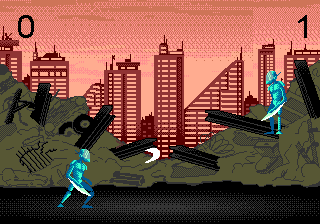
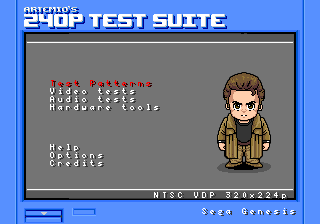
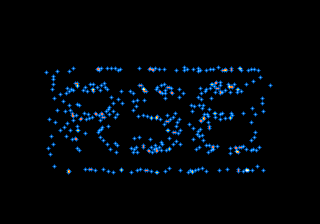
The first real programs were five freely licensed test ROMs, chosen to cover different parts of the machine. Each became a regression test: run for a fixed number of frames, with scripted button presses, then hash the picture. A hash was only recorded after the frame had been checked by eye.



crates/core/tests/test_roms.rs
| Regression case | Frames |
|---|---|
| 240p Test Suite, main menu | 300 |
| 240p Test Suite, PLUGE (two A presses) | 400 |
| genmd-imgrom test pattern | 120 |
| Airstriker, SEGA logo | 60 |
| Airstriker, main menu (lenient) | 700 |
| Right 2 Repair, title | 600 |
| The Spiral | 1,200 |
Each case ends with a 64-bit FNV-1a hash of the picture.
Drawing a frame
There is no frame buffer to draw into. The VDP builds every line on the fly from small tiles, maps of tiles, and a list of sprites.
Everything on screen is made of tiles: 8 × 8 pixels, four bits per pixel, 32 bytes each. A pixel’s four bits pick one of 16 colours in one of four palettes; colour 0 is transparent. Two planes, A and B, are scrollable maps of tiles in which each entry chooses a tile, a palette, horizontal and vertical flips and a priority bit. A window can replace plane A in a fixed rectangle, for status bars that must not scroll. On top come up to 80 sprites, kept in a linked list.
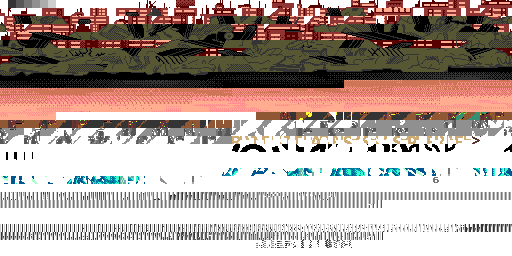
Below is one real frame of Right 2 Repair taken apart. Each layer was drawn by gase’s own renderer with the other layers hidden, so this is exactly what the VDP combines.


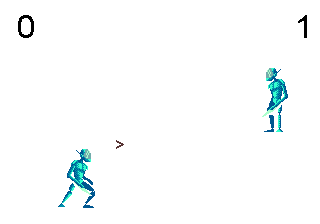
scripts/docs-shots, which re-runs the VDP renderer on a copy of the console with the other layers hidden.Where the pixels come from
All of it lives in the VDP’s 64 KiB of VRAM: the tiles, the two name tables, the window’s map, the sprite table and the horizontal scroll table, at addresses the game chooses through registers. Below are all 2,048 tile slots of VRAM at that frame, each in the palette the planes or sprites use it with, and the 64 colours of CRAM.
Look closely and the jigsaw shows: the skyline and the rubble cut into tiles, the dithered sky, the letters of the font, the fighters’ animation frames. The striped rows near the bottom are not pictures at all. They are the name tables and sprite table, read as if they were tiles, a reminder that VRAM is one shared memory and the registers decide what each part means.
Line by line
gase renders one scanline at a time, as the hardware does. For each line it draws plane B, then plane A or the window, into buffers of one byte per pixel (priority, palette, colour), evaluates which sprites cross the line (at most 20 per line and 320 sprite pixels in the 320-pixel mode; beyond that the hardware drops them), and composites the three buffers by priority. Register writes a game makes during horizontal blanking show up on the next line, which is what raster effects like water lines and per-line palette changes rely on.
Making sound
The Mega Drive’s voice is frequency modulation: one sine wave bending the phase of another. The chip that does it has no multiplier.
An operator is a sine oscillator with a volume envelope. On its own it makes a pure, dull tone. The trick, found by John Chowning in 1973 and licensed to Yamaha, is to add one operator’s output to another’s phase. The modulator bends the carrier back and forth and creates sidebands: when the two frequencies are in a simple ratio the sidebands are harmonics and the result is a rich, pitched timbre; odd ratios give bells and metal. The modulator’s volume, the modulation index, sets the brightness.
Try it. This is the formula, drawn live: out = sin(ωc·t + I · sin(ωm·t)).
Sine without multiplying
The YM2612 has no multiplier. It stores −log₂(sin) for a quarter of a wave in a 256-entry table, adds the envelope’s attenuation (already in decibels, so already a logarithm), and turns the sum back into a linear value with a 256-entry table of powers of two and a shift. gase builds both tables from formulas, and its tests check them against values read off the chip’s die.
Then the analogue side. The YM2612 in early consoles has a flawed DAC that leaks a small level from silent channels, making quiet notes louder and grittier. This “ladder effect” is part of the Mega Drive sound, so gase emulates it by default. The SN76489-style PSG adds three square waves and a noise generator built from a 16-bit shift register. Finally a windowed-sinc resampler converts the chip’s native ≈ 53,267 samples a second to the 48,000 your sound card wants, nudging the ratio by up to half a percent to keep audio and video in step without dropping a frame.
--wav, left and right mixed.The odd address
A homebrew shooter crashed in gase and ran fine elsewhere. The emulator was right, and proving it took a trace, a register dump and a single bit.
Airstriker booted to its SEGA logo and then, a few seconds later, stopped on a black screen with a message from its own runtime: 68K Address Error. It is a small freeware game written in BasiEgaXorz, a BASIC compiler for the Mega Drive, and it is known to work in popular emulators. So the first suspect was gase.
An address error is the 68000 refusing a word or long access at an odd address. The chip has no address line A0. A 16-bit access always covers two bytes at an even address, chosen with upper- and lower-byte strobes, so there is no way to ask for a word that starts on an odd byte. The CPU aborts the instruction mid-flight and takes exception 3, pushing a 14-byte frame that describes the faulting access. gase implements this exactly, because the MAME-derived test vectors check those frames bit for bit.
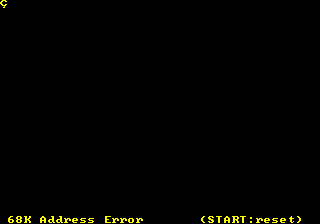
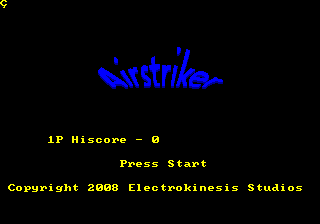
--no-address-errors: the title.The trace shows the last instructions before the fault, at frame 358. The code wants to take the Z80’s bus, which means writing $0100 to $A11100. It loads the address into D0, copies it to A6, loads the value, and then copies the pointer into A0 for the write:
; gase --headless --frames 359 --trace 20000000 Airstriker.md   (registers before each instruction)
00F980  move.l #$A11100,d0           D0=00000000  A0=00FF026E
00F986  movea.l d0,a6                D0=00A11100  A0=00FF026E   ; A6 = $A11100, the Z80 bus request
00F988  move.l #$100,d0              D0=00A11100  A0=00FF026E
00F98E  movea.l d6,a0                D0=00000100  A0=00FF026E   ; copies D6, not A6
00F990  move.w d0,(a0)               D0=00000100  A0=2FFFFFFF   ; a word write to an odd address
00254A  movea.l #$2674,a0            D0=00000100  A0=2FFFFFFF   ; exception 3: the address-error handler
D6 held $2FFFFFFF, so the write went to an odd address and a real 68000 would fault exactly here. The instruction bytes in the ROM tell the rest. MOVEA.L D6,A0 and MOVEA.L A6,A0, which the code presumably meant, are one bit apart:
The source field of the instruction is a 3-bit mode and a 3-bit register. Mode 000 means a data register, 001 an address register; register 6 is the same in both. The compiler emitted the wrong mode. Emulators that do not model address errors quietly round the address down and carry on, and so the game “works” there.
The decision that followed is the project’s priorities in miniature. The default stays faithful to the hardware, because an emulator you learn from should not hide what a real 68000 does. But a small, documented, opt-in mode was added: with --no-address-errors, odd data accesses ignore bit 0, jumps to odd addresses still fault, and the setting is not saved in save states. The check sits in the already-rare odd-address branch, so it costs nothing otherwise. With it, Airstriker reaches its title screen and menu.
Even then, gase does not pretend the bug is harmless. The stray write lands at $FFFFFE, the top of RAM and the base of the stack, and corrupts the outermost return address. What happens after that depends on how an emulator mishandles the write, and the project chose not to chase another emulator’s memory layout bug for bug.
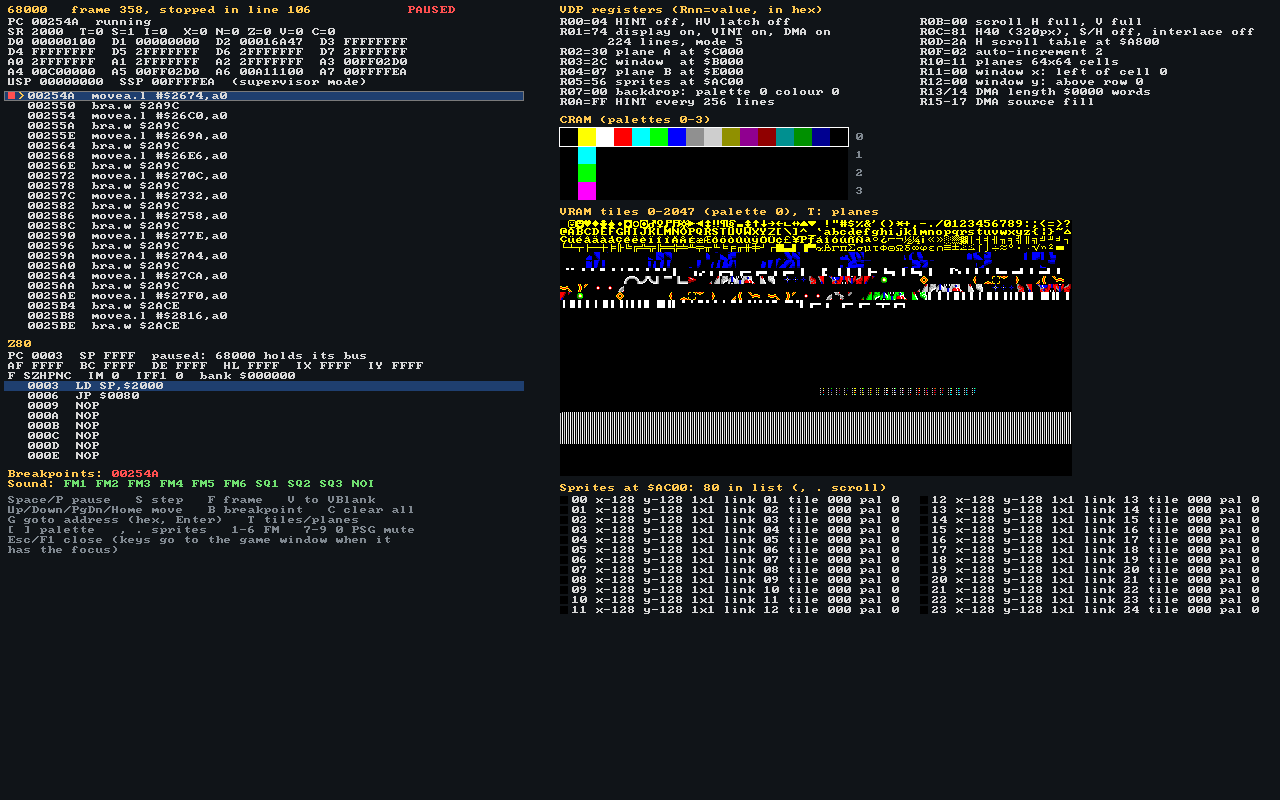
--break 254A --dump-debugger): frame 358, line 106, stopped in the handler. Several registers hold the same 2FFFFFFF.Timing is everything
The first VDP finished every write instantly. The real one makes the CPU wait for a gap in its own work, and games are written around that.
While it draws a line, the VDP reads VRAM almost continuously: name table entries, tile patterns, scroll values, sprite data. VRAM has a single port, so each line is divided into a fixed sequence of memory slots, and most go to the renderer. Only a few external access slots are left for the 68000 and the DMA engine.
slots.rs. Red: the 18 external slots while the VDP draws, one every 16 pixels with every fourth taken by DRAM refresh, plus three in horizontal blanking. Below: the 205 slots of a line in vertical blanking, or with the display switched off.Writes to the data port wait in a four-entry FIFO until a slot comes. Four entries absorb a short burst, a few palette entries during horizontal blanking, without the CPU noticing. A fifth write stalls the 68000 until an entry frees up, which in active display can take a few hundred master clocks per word. Status bits 8 and 9 report the FIFO full and empty, and careful programs poll them.
DMA comes in three kinds. A 68000-to-VDP transfer pushes words through the same FIFO and freezes the 68000 until the last one is in. Fills and copies run in the background while status bit 1 says “busy”; a copy needs a read and a write slot per byte, so it runs at half the speed of a fill. This is why games upload graphics during vertical blanking or with the display off: the same transfer is about eleven times faster there.
gase models all of this with a lazy clock. The VDP remembers how far into the line it has used its slots, and is brought up to date before every port access and at the end of every line. When nothing is queued, catching up just moves a counter.
| Test program | Active display | Display off |
|---|---|---|
| Polls of FIFO-empty after 4 VRAM writes | 5 polls | 1 poll |
| A 24-word burst, timed with the HV counter | 2 lines | 0 lines |
| A 180-word 68000 DMA (data and registers checked) | 19 lines | 2 lines |
| Polls of DMA-busy: 4 KiB fill vs copy | — | 306 vs 611 |
The emulator became more accurate, and SGDK games started twelve frames later.
SGDK, the C toolkit most homebrew is built with, clears all 64 KiB of VRAM at start-up with a DMA fill, twice, with the display on. At real slot speed each fill takes about five and a half frames, so with this model SGDK software finishes booting about twelve frames later, as it does on a console. Two regression hashes had to be revisited. The Spiral showed the same particle scene at a slightly later point of its animation, and its new hash was recorded after comparing screenshots. The 240p Test Suite’s pattern menu now finished loading after the scripted button press, so the press moved from frames 330–335 to 345–350; the resulting frame was bit-identical to the old one.
A regression test that changes is not a failure if you can explain the change. These two could be explained to the frame.
Saves, states and rewind
Three ways to keep a game’s progress: the cartridge’s own memory, a snapshot of the whole console, and a ring of snapshots you can walk back through.
A save state is the whole console written down: every component implements one trait, writing its fields in a fixed order and reading them back. The format is plain little-endian binary with a magic number, a version and a fingerprint of the game, with no field names and no schema. Loading is transactional: a damaged state leaves the running console untouched.
Rewind then costs almost nothing to build: a ring buffer of save states, one taken every few frames, popped and loaded while you hold the key. A state is roughly 150 KiB, so ten seconds of history fit in a few tens of megabytes. During the performance work, saving byte slices in one copy instead of byte by byte made those snapshots about six times cheaper.
The chip with two wires
Most cartridges save to battery-backed SRAM, ordinary memory at $200000. A few dozen use a serial EEPROM instead: a tiny I²C chip with only a clock and a data pin, which the game drives bit by bit by writing to a latch at an address that depends on who made the board. gase emulates the chip edge by edge (start and stop conditions, the acknowledge bit on every ninth clock, both addressing modes, page writes that wrap within the page) and keeps a table of which games use which chip and wiring, because nothing in the ROM says so.
A debugger for learners
Reading about a machine is one thing. Stopping it in the middle of a frame and looking inside is another.
Press F1 in gase and a second window opens with the console as its chips see it: both CPUs’ registers and disassembly, the VDP’s registers decoded by name, the palettes, every tile in VRAM or the plane maps, and the sprite list in link order. You can pause, step one 68000 instruction, run to the end of the frame or to the next vertical blank, set breakpoints, and mute each FM and PSG channel to hear how the music is arranged.
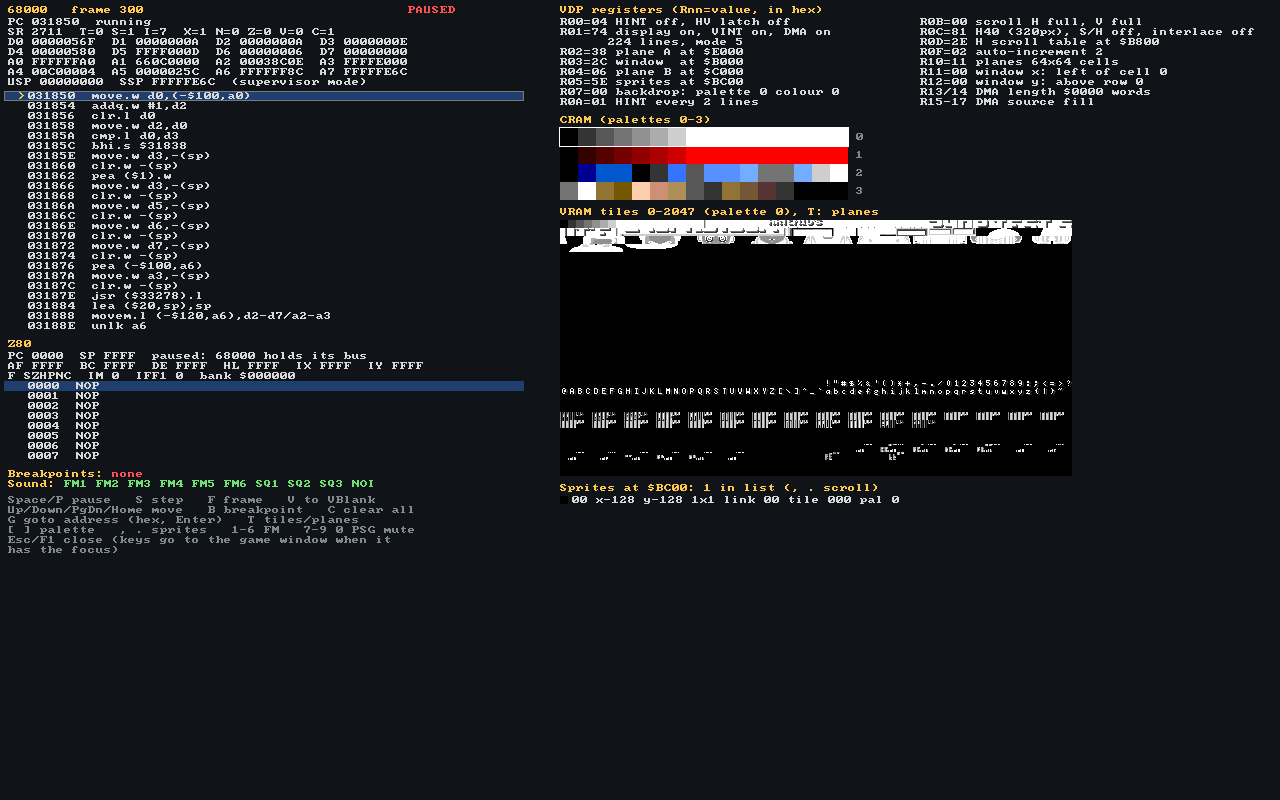
--dump-debugger. It is drawn into a plain pixel buffer with a public-domain 8 × 8 font, which is why it can be saved without a window and unit-tested.- 68000 registers, with the status register’s flags decoded.
- Disassembly around the program counter, breakpoints and a cursor.
- Z80 registers and code, and who holds its bus.
- Sound: which FM and PSG channels are muted.
- VDP registers by name: plane addresses, sizes, scroll modes, DMA.
- CRAM: the four 16-colour palettes.
- VRAM: all 2,048 tiles, or plane A, plane B, the window.
- Sprites in link order: position, size, tile, palette, flips.
Experiments to try
- Follow the boot. Start with
gase --debug game.binand press S: most games first read the version register atA10001, then set up the VDP (watch the decoded registers change), then clear RAM. - Find the vertical-blank handler. Press V, then S: the 68000 takes the level-6 interrupt and jumps to the address stored at
$000078. Most games do all their VRAM updates there. - Read a frame apart. Press T to switch between the tiles, plane A, plane B and the window, and compare with the sprite list.
- Hear the channels. Mute FM channels with 1–6 and the PSG with 7–0.
Fast, and still readable
One profiling-driven pass made gase 1.5 to 1.9 times faster without changing a single output bit, and without making the code harder to learn from.
The work started with measurement, not hunches. Two numbers were taken for each of the five test ROMs: frames per second from the headless benchmark, which is what you feel, and the count of host instructions executed over 300 frames under callgrind, which does not depend on what else the machine is doing and shows changes of a fraction of a percent.
The profile was unambiguous. The scanline renderer took 50–57% of all instructions: it recomputed the scroll, the cell and the pixel for every one of the 320 pixels of each plane, and composited them with branchy loops. Next came the 68000’s operand helpers, called out of line, then the YM2612 computing silent channels, the PSG ticking one step at a time, and the resampler.
benchmarks/results/2026-10-10.csv.Read the reference to learn how the hardware works. Read the fast path to learn how to make it quick.
That was the rule for every optimisation. The straightforward version stays in the code as the documented definition, the fast path names it in its own documentation, and a unit test proves the two agree, usually on thousands of random inputs. On top of that, every change had to leave the test-ROM frame hashes, the recorded audio and the CPU test vectors bit-identical. No unsafe, and no hand-written SIMD: the compiler does the vectorising.
| Fast path | Readable reference | Proved equal by |
|---|---|---|
render_plane, tile-row runs | plane_pixel_reference, the per-pixel formula | 300 random VRAM, VSRAM and register setups: every scroll mode, plane size, H32/H40, interlace |
pick_fast, byte arithmetic (SIMD) | pick, the priority rules | Every plane B pixel value |
Psg::run, reload to reload | Psg::tick + Psg::output | 3,000 random register writes, batches starting mid-period |
| Skipping faded-out operators | Operator::eg_step, Channel::calc_operators | 200 operators × 4,095 counter values; 2,000 random channels |
| One-compare ROM read | Cartridge::read_word_mapped | Odd-size ROMs, mapper, EEPROM, SRAM inside and outside ROM |
| Byte slices in one copy | State::save_slice’s default | Byte-identical save states |
How the work was done
Every change arrived as a pull request that carried its own tests, a local CI run, and a plain account of what it did not do.
Work happens on feature/… and fix/… branches cut from develop and merged back through pull requests; main follows releases. Chips were developed in parallel on their own branches, which the one-crate-per-chip layout made painless, and each pull request description lists what was tested, what is approximate, and which other open pull requests it will conflict with and in what order to merge them.
Continuous integration runs on every pull request, with warnings treated as errors:
cargo fmt --all --checkcargo clippy --workspace --all-targets, with the workspace lints,forbid(unsafe_code)among themcargo test --workspace: unit tests, hand-assembled whole-system programs, debugger equivalencecargo build -p gase --no-default-features, proving the headless build has no external dependenciescargo doc --workspace --no-depswith warnings as errors: the documentation is part of the productcargo clippy -p gase-web --target wasm32-unknown-unknown, and clippy for the five phone targetsscripts/smoke-sdl.sh: the optimised program must still be running after five seconds (chapter 18)
Separate workflows build the browser version and the phone apps: an Android APK, and the iOS app for device and simulator.
One interface, then three platforms at once
The interface and the ports were the biggest piece of work after the emulator itself, and the order mattered. The platform-free interface came first, on its own branch with the desktop shell (#22), because everything else would stand on its Platform contract. As soon as that contract settled, the browser version (#23) and the phone apps (#24) were built in parallel, each in its own working copy, on branches stacked on top of #22. They worked in different directories (crates/web and web/, crates/mobile and mobile/), so they could not step on each other’s code; where they did meet, in the README and ARCHITECTURE.md, the second merge produced conflicts that were resolved by hand.
Each port also fed fixes back. The crash of chapter 18 was found on the interface branch and its fix merged into the other two before they were reviewed; the landscape bug of chapter 14 was found while taking pictures for this site. Twice a follow-up commit arrived a minute after its pull request had been merged, so it went into a new, small pull request instead of being lost: working fast means checking the last word after the merge, not only before.
gase was written with an AI assistant working on its own branches and pull requests; a person reviewed and merged every one of them. Each commit says so in its last line: Co-authored with AI.
The big suites are too large for every push (the Z80 vectors alone are about 1.3 GB), so a second workflow runs them weekly and on demand, together with the test-ROM regression: each ROM run for a fixed number of frames with scripted presses, and an FNV-1a hash of the picture compared with a value that was only recorded after looking at the frame.
| PR | What it brought | Branch | Merged (UTC) |
|---|---|---|---|
| #1 | Workspace, save-state crate, the viability study | claude/vibrant-fermat-a8mz9q | 9 Oct 21:44 |
| #2 #5 | The VDP: ports, DMA, timing, scanline renderer | feature/vdp | 9 Oct 22:02 |
| #3 #4 | The Z80, passing SingleStepTests and ZEXALL | feature/z80-cpu | 9 Oct 22:02 |
| #8 | Sound: YM2612, PSG, resampler, filters | feature/sound | 9 Oct 22:06 |
| #9 | CI on every pull request, weekly vector runs | feature/ci | 9 Oct 22:09 |
| #10 | The 68000, validated against MAME and Tom Harte vectors | feature/m68k-cpu | 9 Oct 22:44 |
| #11 | The console and the frontend: gase is playable | feature/core-system | 9 Oct 22:44 |
| #12 | Opt-in lenient address errors | feature/lenient-address-errors | 9 Oct 23:44 |
| #13 | Serial EEPROM saves | feature/eeprom-saves | 10 Oct 06:59 |
| #14 | VDP FIFO, access slots, time-accurate DMA | feature/vdp-fifo-dma-timing | 10 Oct 07:02 |
| #15 | The learner debugger | feature/debugger | 10 Oct 07:03 |
| #16 | Fix: let the FIFO drain in a colour test | fix/cram-rgb-test-fifo | 10 Oct 07:26 |
| #17 | Performance pass and benchmarks/ | feature/performance | 10 Oct 08:36 |
| #18 | Release 0.1.0 to main | release/v0.1.0 | 10 Oct 09:28 |
| #19 | ZIP ROMs: an own DEFLATE decoder | feature/zip-roms | 10 Oct 09:30 |
| #20 | This site, the making-of | feature/making-of | 10 Oct 09:30 |
| #22 | The interface, controls, and the SDL crash fix | feature/app-ui | 10 Oct 14:03 |
| #23 | The browser version, an installable PWA | feature/web | 10 Oct 14:08 |
| #24 | Android and iOS apps | feature/mobile | 10 Oct 14:10 |
| #25 | Fix: Start and Mode off the picture in landscape | fix/touch-landscape-start-mode | 10 Oct 14:46 |
| #26 | This site: the interface and the platforms | feature/making-of-update | 10 Oct 14:47 |
| #27 | Release 0.2.0 to main | release/v0.2.0 | 10 Oct 16:18 |
| #30 | A release workflow for every platform | feature/release-binaries | 10 Oct 16:29 |
| #31 | Fix: static SDL on Windows and macOS | fix/release-cmake4 | 10 Oct 16:38 |
| #33 | Fix: release files for older versions | fix/release-older-versions | 10 Oct |
One interface, every screen
Menus, settings, a file browser and touch controls, written once and drawn pixel by pixel, so the desktop, the browser and phones all run the same code.
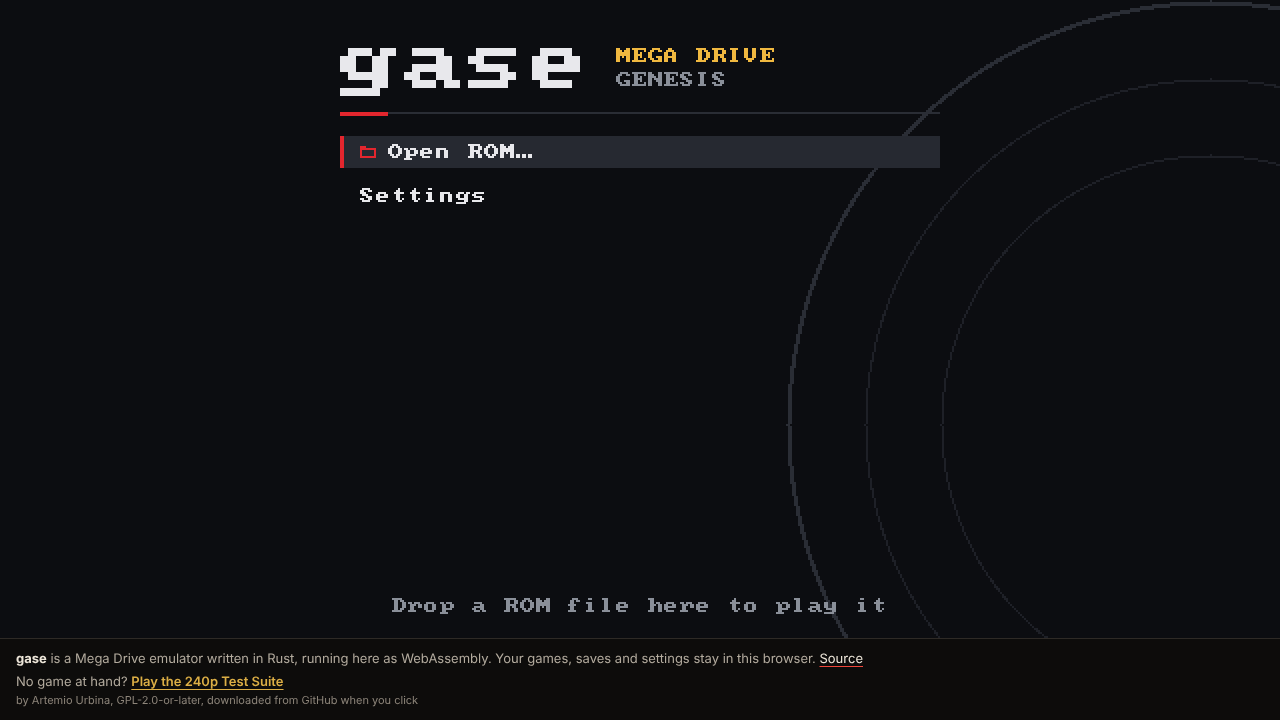
Until version 0.1, gase was a command line and a window. Making it pleasant to use meant menus, a way to pick a game, settings that survive a restart, remappable controls, and on phones, buttons under your thumbs. Writing that four times, once per platform toolkit, would have quadrupled the code a learner has to read. So it lives in one crate, gase-app, with no dependencies and no I/O, just like the core.
The app draws itself. Every frame it paints its menus into a plain buffer of pixels with its own bitmap font, the same way the debugger does. A platform only has to show that buffer, play sound, and report keys, pad buttons and fingers. The interface is immediate-mode: there are no widget objects to keep in sync. Each frame the current screen is drawn from the settings and the console’s state, and input is handled as it is drawn.
The platform contract
Everything a platform must provide fits in one trait, Platform: read and write a named file, list a folder, ask for a ROM, report the time. Everything it gives the app is an Event: a key, a pad button or axis, a pointer, a dropped file, the app going to the background. Everything the app asks back comes through Requests: go fullscreen, quit, open the system’s document picker. A shell is the code that keeps that promise on one platform, and there are three: SDL2 for desktops and phones, and a WebAssembly one for browsers.
Every controller at once
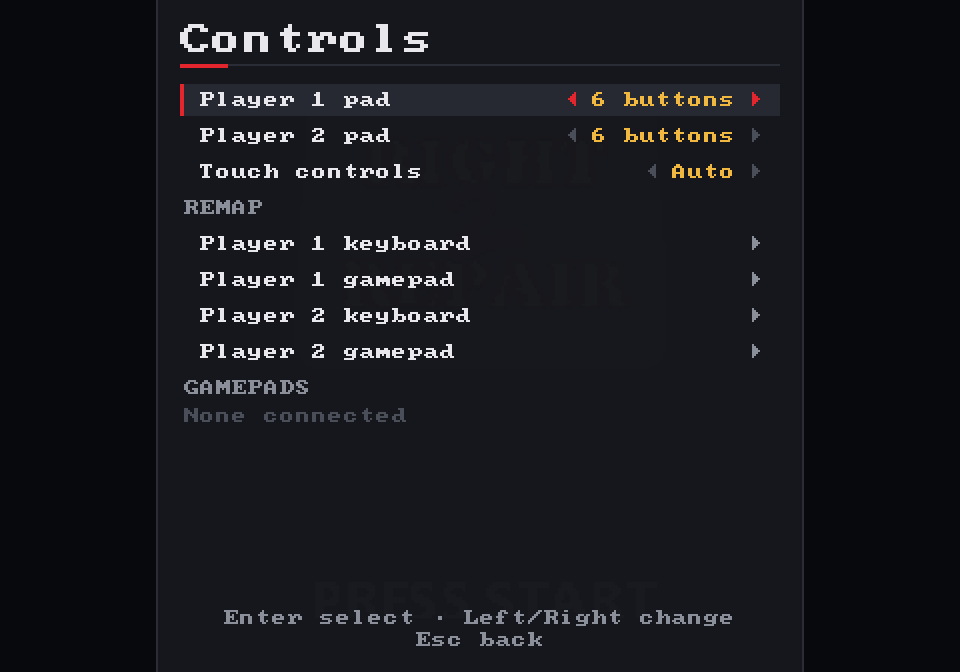
The keyboard, any number of gamepads and the touch screen are mapped to the two console pads at the same time. Each device keeps its own set of pressed buttons, and the console sees their union. Nothing has to be switched over, and letting go of a key can’t release a button a gamepad is still holding. Every key and pad button can be remapped for both players.
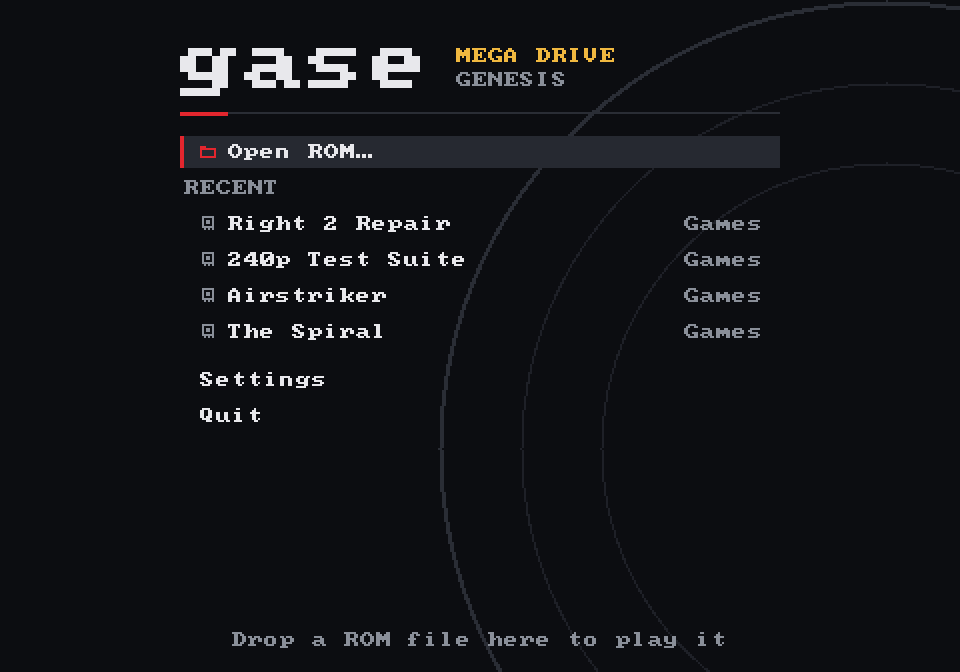
gase --dump-ui. Right 2 Repair, at the top of the recent list, is a .zip file (chapter 15). The same option draws any screen of the app without opening a window, which is how every picture in this chapter was made, and how the app’s tests look at the screens.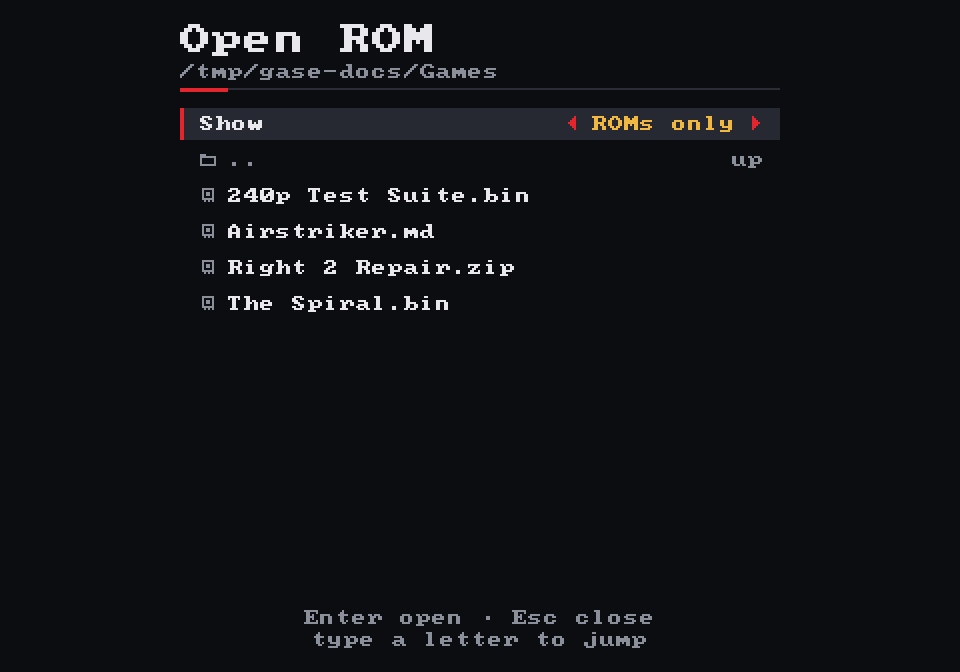
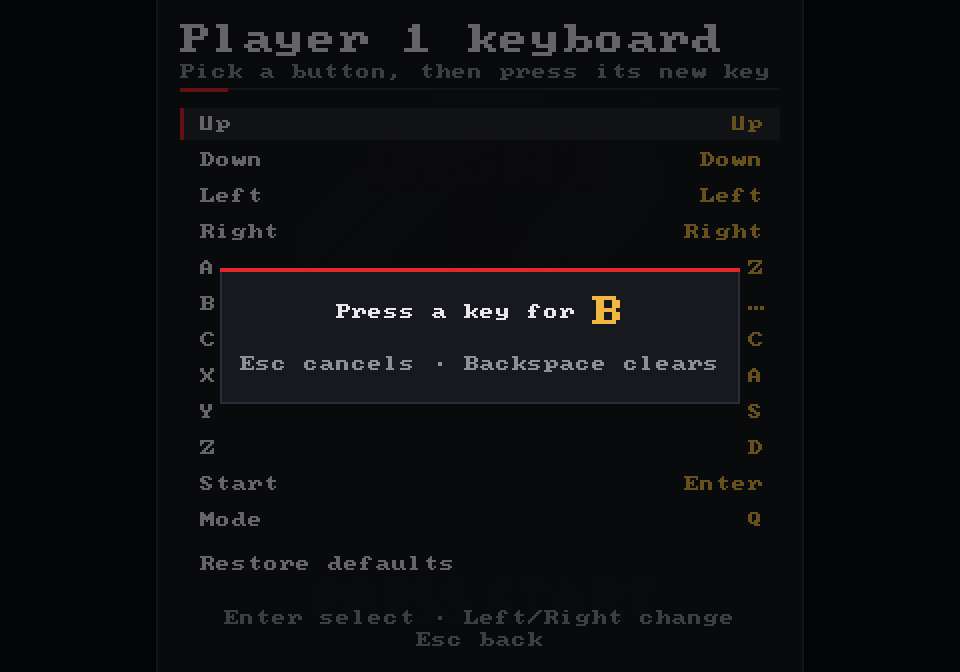
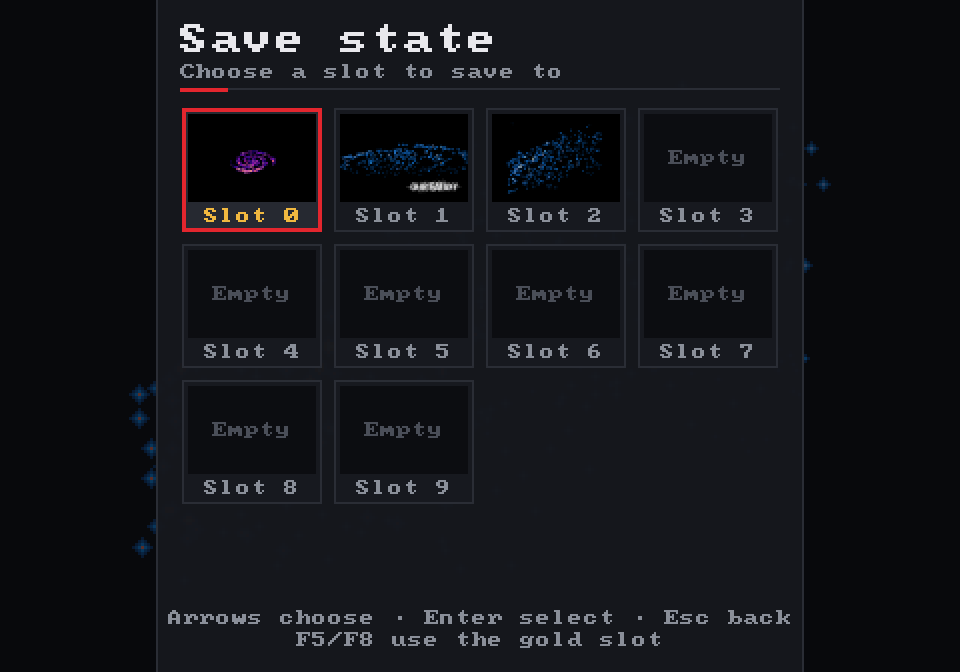
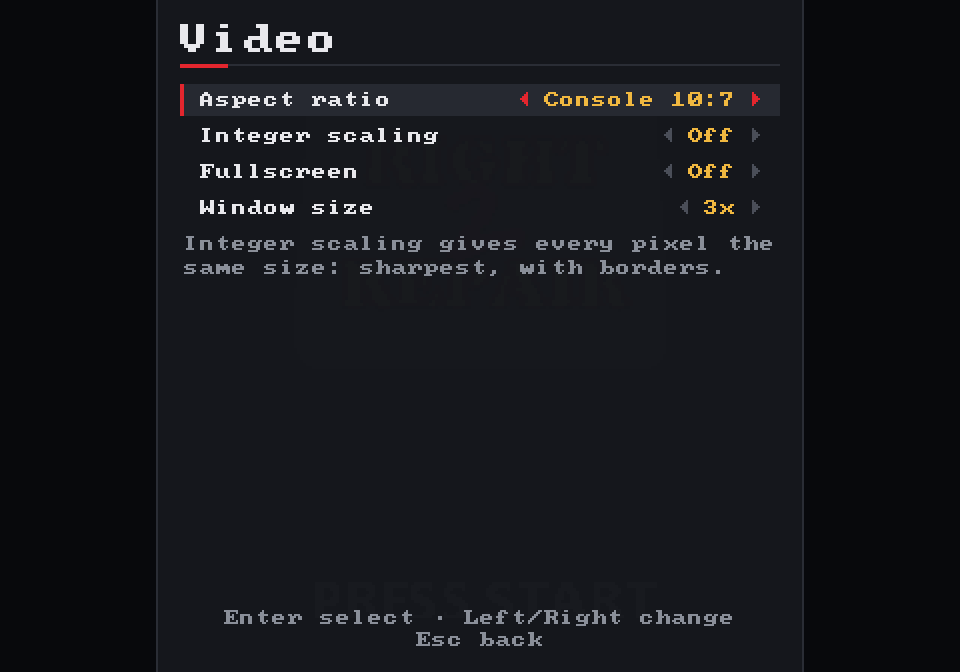
Thumbs on glass
The touch pad is the app’s own, too, so it is identical on Android, iOS and in a mobile browser. Each finger is tracked separately in a small table of the fingers the pad owns. A finger that lands on the d-pad keeps steering it even if it slides off. A finger in the gap between two buttons presses both, so one thumb can hold B and C. All sizes are derived from the screen size, so the same code serves a small phone and a tablet.
The layout has one rule above all: never cover the game. Writing this chapter caught a bug there. Taking the landscape picture below showed Start and Mode drawn in the middle of the bottom edge, right over Right 2 Repair’s “PRESS START”. The comment in the code said “corners in landscape”, but the code didn’t do it. A failing test came first, then the fix, in pull request #25. The two buttons now sit in the black borders, above each thumb.
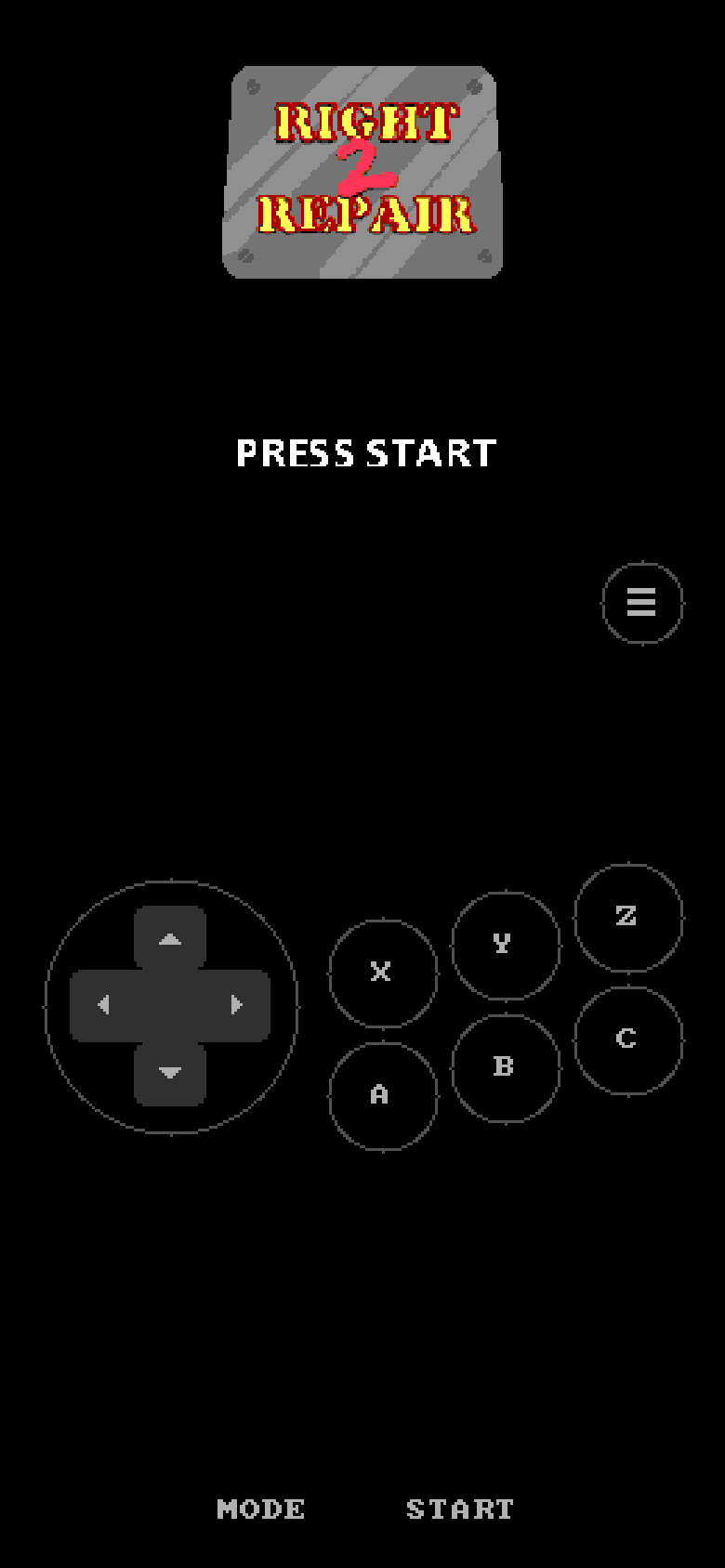
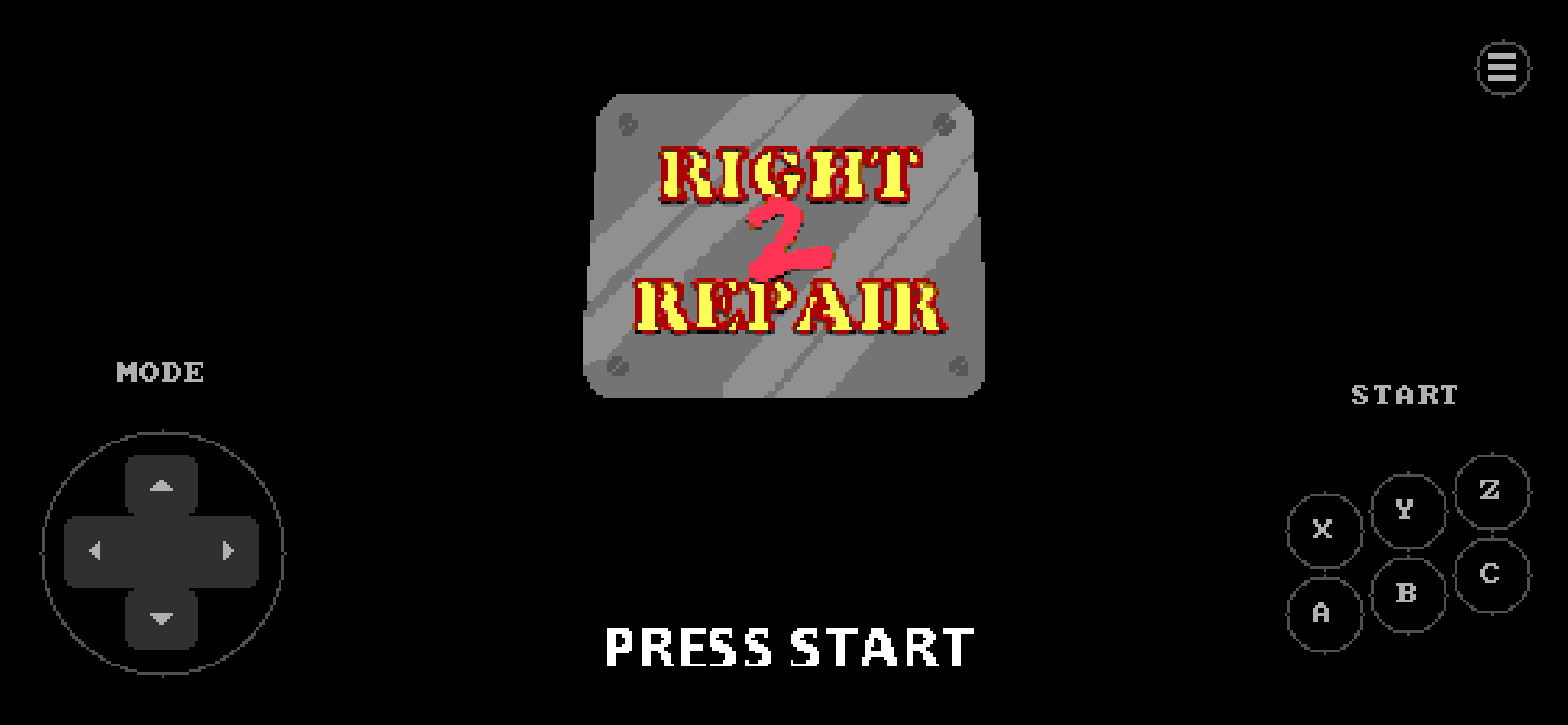
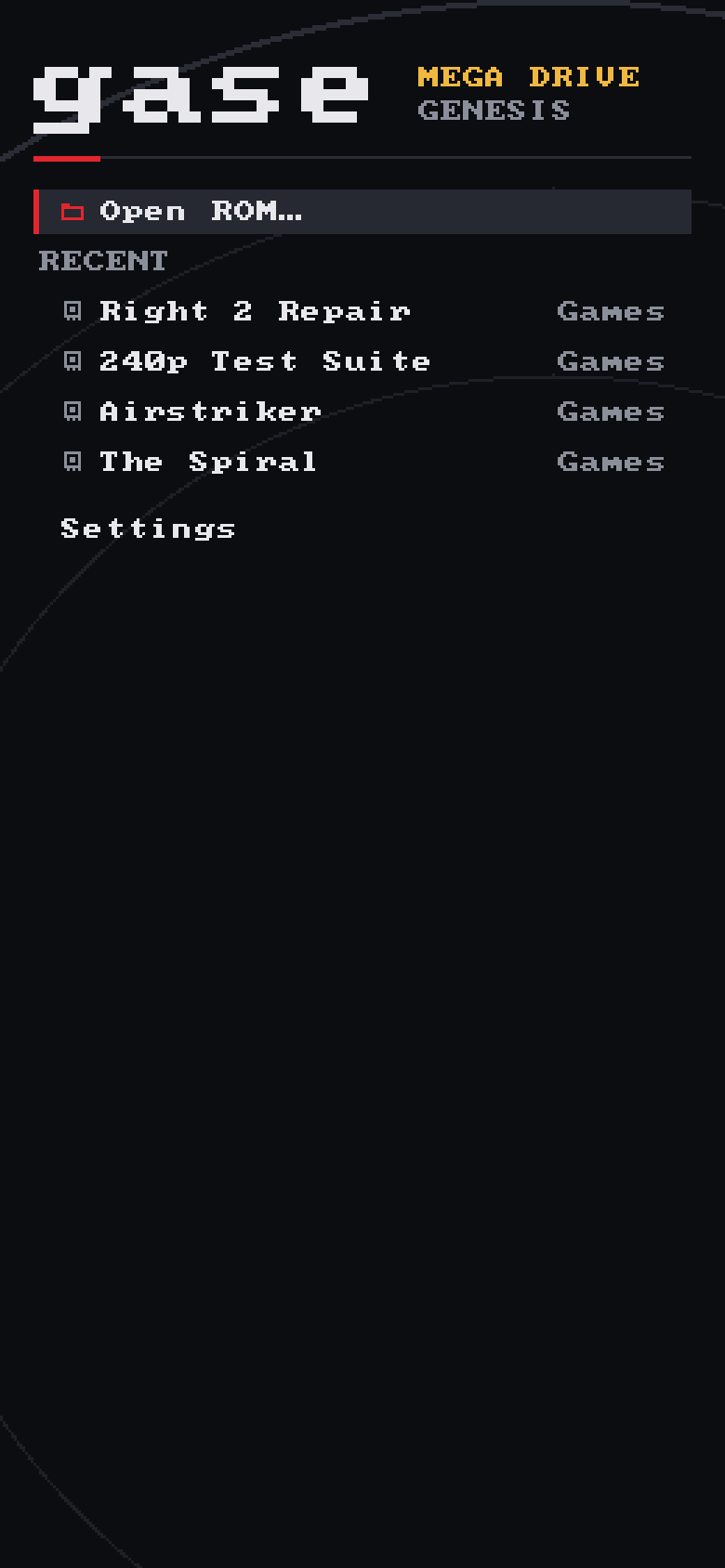
Phone screens are drawn at two pixels per point and shown here at the size of a 390-point-wide phone. They come from gase --mobile --dump-ui, which runs the phone shell’s layout on a desktop.
Opening a ZIP file
Most ROM collections are zipped. Reading them takes a decompressor, and writing one is a small lesson in how nearly all compressed files work.
Pulling in a library would have been the easy way. But the rule of few dependencies had held so far, and DEFLATE, the compression inside ZIP files (and gzip, and PNG), turns out to be a good thing to learn from: about 900 lines, tests aside, that combine two old ideas. gase-zip reads ZIP archives, inflates DEFLATE streams and checks CRC-32 sums. When Cartridge::from_bytes sees the bytes PK\3\4 at the start of a file, it opens the archive and takes the ROM inside. Every platform gets ZIP support from that one check.
The first idea is LZ77. Instead of storing text it has already seen, the compressor writes “go back distance bytes and copy length bytes from there”. The decompressor’s own output is the dictionary. A copy may overlap what it is writing: distance 1, length 100 repeats one byte a hundred times. Try it:
The second idea is Huffman coding: common symbols get short bit patterns, rare ones long patterns. DEFLATE puts literal bytes, match lengths and an end-of-block marker into one 286-symbol alphabet, with distances in a second one. Each block either uses a code fixed by the standard or sends its own code first. To save space, it sends that code as a list of bit lengths, itself compressed with a third Huffman code. The comments in crates/zip/src/inflate.rs take this apart table by table, and are worth reading even if you never touch an emulator.
Decoding bit by bit is the readable reference. The fast path decodes most codes with one lookup of the next 10 bits, and tests check that both give identical results, errors included, on zlib-made and random streams: the rule from chapter 12 again. The fast path inflates a 4 MiB ROM in about 19 ms.
Rust in a browser
The same emulator and the same interface compiled to WebAssembly, with nothing in between: no binding generator, no bundler, a few hand-written JavaScript modules.
The usual way to put Rust in a web page is wasm-bindgen, which generates the glue between the two languages. It works well, but it hides exactly what a learner would want to see. So gase-web does without it. The module is built for wasm32-unknown-unknown and exports about twenty plain functions that take and return numbers. The page imports nine functions back: read and write a file, push sound, make a request. Six JavaScript modules, loaded as they are written, do the rest.
One shared memory
A WebAssembly module’s memory is a single ArrayBuffer that JavaScript can see, and a Rust pointer is just an offset into it. So no picture or sound is ever copied across the boundary. Rust returns vec.as_ptr() as a number, and the page wraps those bytes in a typed array and hands them to the canvas. After every frame the module fills a seventeen-word frame description, telling the page where the picture is, how big it is, where to draw it and how to pace. The page reads it through one Uint32Array, like a C struct.
Three things browsers make hard
- Saving. The app expects to read a file and get it back at once, but the browser’s IndexedDB answers later. So at startup the page copies everything stored into memory. Reads come from that copy, and writes go to the database in the background, one transaction per frame.
- Sound. Audio plays on a real-time thread, inside an
AudioWorklet. The fastest way to feed it is a ring buffer in shared memory, but browsers only allow that on pages served with special isolation headers, and GitHub Pages can’t send them. So the page also knows how to post chunks of samples, which is the path this site uses. - Pace. A browser redraws on its own clock. Each redraw owes elapsed time × 59.92 emulated frames, with the remainder carried over. The sound queue only adds or skips a frame when it drifts more than two frames from its target. An early version, which ran frames until the queue was full, stuttered between zero and two frames per redraw.
Rust on a phone
SDL2 already runs on Android and iOS, so the phone apps reuse the desktop’s shell. What is left is the question of who calls main.
Neither phone system starts a program by calling main. On Android, the Java virtual machine starts an activity. SDL’s SDLActivity loads two native libraries, libSDL2.so and libmain.so, and calls the C function SDL_main on a thread of its own. On iOS, a tiny Objective-C main hands control to UIKit, and once the app has launched, SDL calls the same SDL_main. The gase-mobile crate exports exactly that function: built as a shared library for Android, and as a static library linked into the iOS app.
From there it is the desktop program with a different Shell. Files live in the app’s private storage, ROMs come from the system’s document picker or “Open with”, the screen rotates, and there is no Quit. Copying a picked file into the app is a few dozen lines of Java and Objective-C. That glue then hands the copy’s path back as an ordinary SDL “file dropped” event, which the shell already understood from the desktop.
A phone can kill you at any moment
A desktop program runs until it is closed. A phone app sent to the background may never be woken again. So when gase goes to the background it saves the game’s battery RAM and the settings at once, opens the pause menu, stops drawing and sleeps without using the CPU. Coming back, it drops the stale sound and resumes. If the system takes the graphics device away, SDL says so and the textures are recreated.
A crash in someone else’s code
The workspace forbids unsafe code. The new window still crashed with a segmentation fault, but only in optimised builds.
The debug build of the new interface ran fine. The release build died with SIGSEGV within a second of opening its window. Every unit test passed, because none of them opens a window. gdb placed the crash inside SDL, copying pixels into a texture. valgrind was more precise: an uninitialised value created by a stack allocation, followed by writes to memory that belonged to nobody.
Uploading a picture to the GPU went through sdl2’s safe wrapper, Texture::with_lock(rect, …). Inside that crate it looks like this:
let (rect_raw_ptr, height) = match rect.into() {
    Some(ref rect) => (rect.raw(), rect.height() as usize),
    None => (ptr::null(), q.height as usize),
};
// `rect.into()` was a temporary: it is gone here, and rect_raw_ptr points
// at the stack slot where it used to be.
let ret = sys::SDL_LockTexture(self.raw, rect_raw_ptr, &mut pixels, &mut pitch);sdl2 0.37, render.rs. The Option<Rect> lives only until the end of the let statement, but a raw pointer into it outlives it. In a debug build the old value is usually still there. The optimiser reuses the slot, so SDL reads a garbage rectangle and computes an address far outside the texture.The fix is one word: lock the whole texture with None, which passes a null pointer and needs no temporary. SDL hands back the same buffer either way, so it costs nothing. valgrind went quiet. The doc comment on upload in crates/gase/src/sdl.rs records why the rectangle must never come back.
Fixing the crash was not enough on its own: it also had to be impossible to miss next time. scripts/smoke-sdl.sh runs the optimised program with SDL’s dummy video and audio drivers and fails unless it is still running after five seconds. It was checked against the broken build first (exit 139, a segfault) before being trusted on the fixed one. It now runs in CI on every pull request.
Shipping to every platform
Building gase on your own machine is a lesson. Downloading it should not be one. A single workflow turns a version tag into a program for each platform.
When a release is published on GitHub, the Release workflow checks out the tagged commit and builds it everywhere at once: on Linux, Windows and macOS machines for the desktop programs, a WebAssembly build for the browser, and the phone workflow of chapter 17 for Android and iOS. A last job gathers the files, adds their checksums, takes the version’s section of CHANGELOG.md as the release notes and attaches everything. GitHub adds the source code by itself.
The workflow can also be started by hand with a tag name, and then it creates the tag and the release too. That is how 0.2.0 and the older 0.1.0 got their files after the fact; 0.1.0 predates the browser and phone code, so the workflow looks at what the commit contains and builds only those platforms.
| File (0.2.0) | For | Size |
|---|---|---|
| linux-x86_64.tar.gz | Linux, built on Ubuntu 22.04 so that older systems can run it too | 2.5 MB |
| windows-x86_64.zip | Windows 10 and 11 | 1.1 MB |
| macos-universal.tar.gz | Apple silicon and Intel in one program, joined with lipo | 2.3 MB |
| web.zip | The browser version, ready to serve | 0.2 MB |
| android.apk | Android phones, for installing by hand | 3.3 MB |
| ios-unsigned.ipa | iPhones, once signed with a developer account | 0.8 MB |
Nothing else to install
The desktop program needs SDL2 for its window, sound and gamepads, and asking players to install a library first would be a poor welcome. The sdl2-sys crate happens to ship SDL’s complete source code, and two features make it compile that source with CMake and link it into the executable: cargo build --features sdl2/bundled,sdl2/static-link. The result depends on nothing but the operating system. On Linux, SDL still finds X11 or Wayland and the sound system when it starts, the way it always does, so one file runs on any desktop.
Each desktop build is then copied alone into an empty folder and started: if it still needed an SDL library, the system would refuse to run it. On Linux it must also keep its window open for five seconds.
Three surprises, found before they mattered
On pull requests that change it, the workflow builds every file and publishes nothing, so it was tested long before a release depended on it. Linux worked at once. Windows and macOS failed three times, each failure precise enough to fix in a few lines:
| Where | What the build said | Why, and the fix |
|---|---|---|
| Windows, macOS | Compatibility with CMake < 3.5 has been removed | The machines now have CMake 4, and SDL 2’s build files still ask for CMake 3.0. Setting CMAKE_POLICY_VERSION_MINIMUM=3.5 tells CMake that is fine. |
| Windows | unresolved external symbol RegOpenKeyExW | SDL reads the registry, which lives in advapi32.lib, and the crate forgets to link it when SDL is linked in. One linker argument adds it. |
| macOS | Undefined symbols: ___isPlatformVersionAtLeast | SDL’s gamepad code asks “is this macOS new enough?”, which compiles to a call into clang’s own runtime library. A C program gets that library automatically; a Rust program links without it. Naming the file fixes it. |
A game that does nothing, forever
The five-second test needs something to run, and the 0.1.0 program will not even start without a game. Downloading a test ROM in every build would make releases depend on someone else’s server, so the workflow writes its own, one kilobyte long, with a single line of Python:
offset  bytes          meaning
000000  00 FF FE 00    initial stack pointer: $FFFE00, in work RAM
000004  00 00 02 00    initial program counter: start at $000200
000100  53 45 47 41    "SEGA", where the header says it should be
000200 60 FE BRA.S $200: branch to this very instruction60 is the 68000’s short branch, and FE is its distance: −2 bytes, counted from the end of the two-byte instruction, which lands back on the instruction itself. The console runs it forever, the window stays open, and the test passes. gase --trace shows it: 000200 bra.s $200, over and over.The phone files come with a caveat that the release notes repeat. Android installs the APK after a warning, because it is signed with a development key rather than a store key. An iPhone installs nothing that has not been signed by a registered developer, so the .ipa is a starting point for people who have such an account, or a tool that signs with theirs.
What’s next
The core still has no idea what a window is. Everything below can be built on top of it, and each item is a lesson in its own right.